Knowledge Graph · Field notes · Part 2 of 3
Knowledge Graph, Part 2: Voice, mobile, and the queue
What looks like “talk to the machine” is a multi-tool pipeline: Whisper, the graph, the model, and speech out — all competing for 16GB of shared memory, offline.
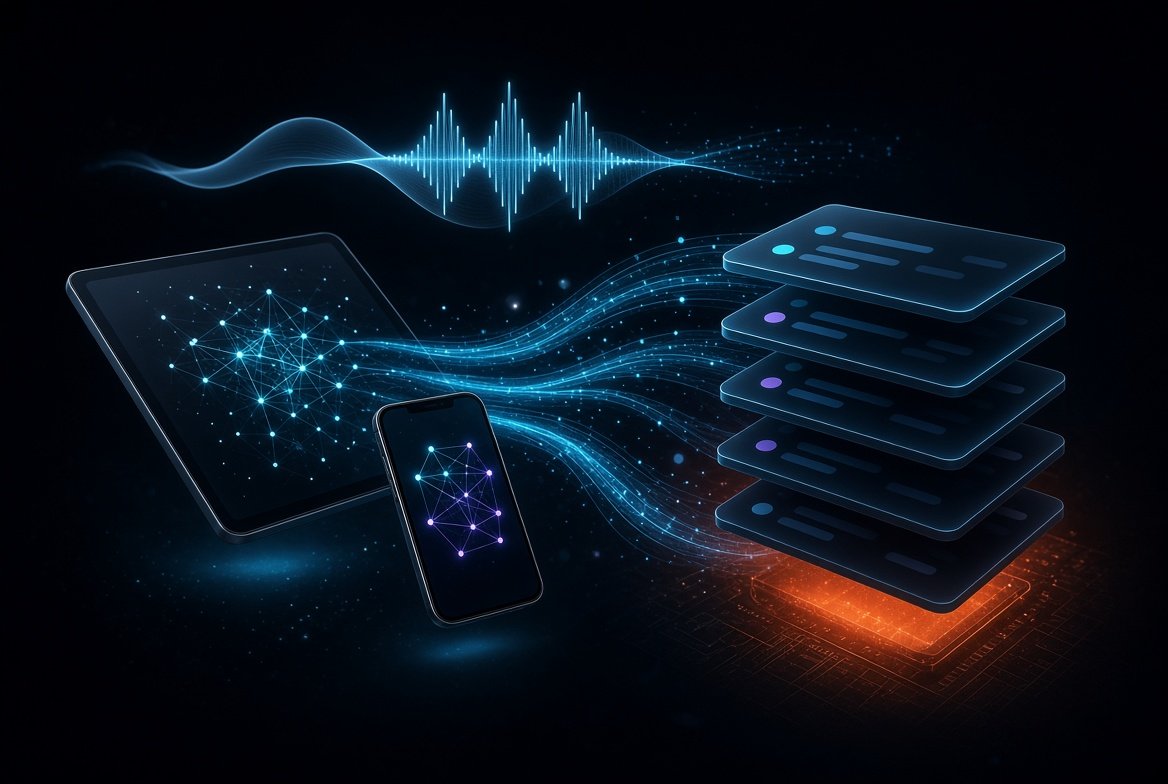
Part 1 left a working canvas under a hard ceiling: the entire stack in about 16GB of shared memory, and the sovereignty test of staying useful with the network unplugged. Part 2 is what happened when phones, microphones, and concurrent clients hit that budget at once — and why a voice turn is far more sophisticated than it sounds.
The voice pipeline is not one model
From the outside it looks simple: speak, get an answer spoken back. Under the hood it is a chain of specialized tools, each with its own memory footprint, latency, and failure modes.
One spoken turn
Whisper does the transcription. That text is posted to the local model. The model may call into LightRAG (or the graph tools) to pull extra context from photos, notes, and prior days. It thinks that through, then a separate service turns the reply into audio. Each step is a different binary, a different weight file, and a different claim on the same shared pool.
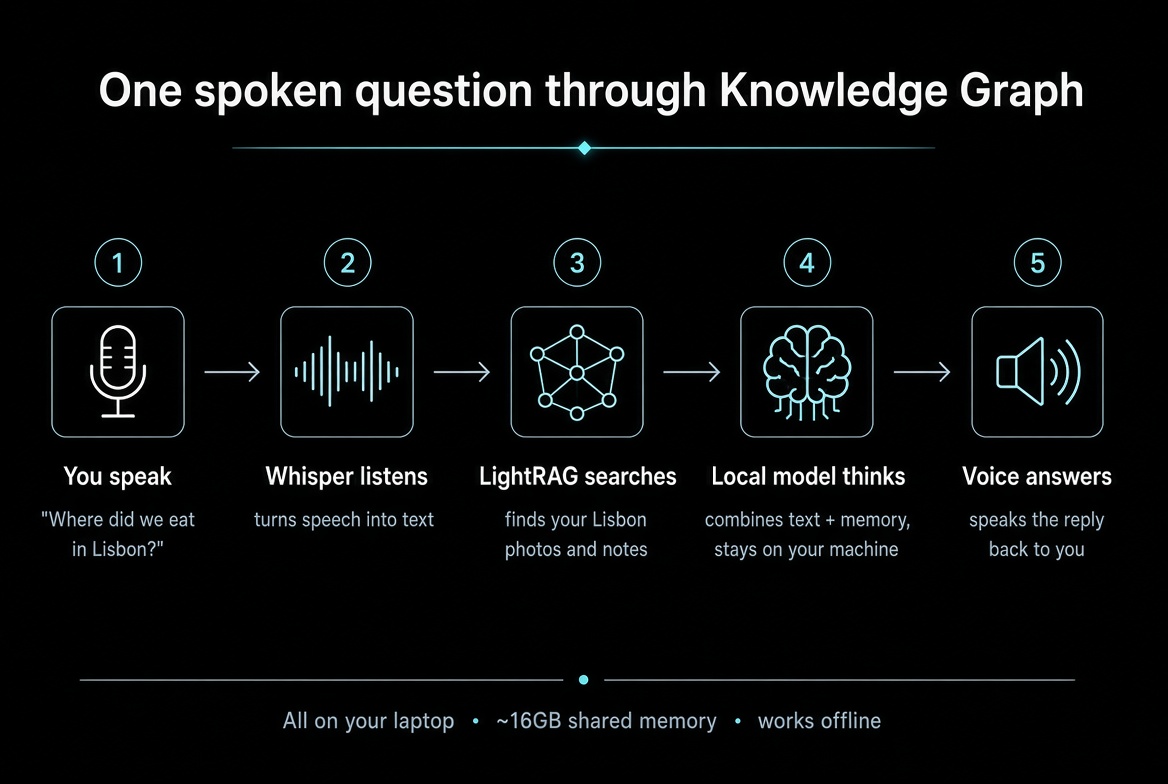
A walkthrough anyone can follow
Imagine you are on a plane with no Wi‑Fi. You open Knowledge Graph and say:
“Where did we eat in Lisbon?”
1. You speak. The phone or laptop mic records a few seconds of audio. Nothing has been “understood” yet — it is just sound.
2. Whisper listens. A speech model on your machine turns that sound into text: Where did we eat in Lisbon? If you mumbled, paused a long time, or mixed languages, this is the step that can get messy. Bigger Whisper models hear better and use more of your 16GB.
3. LightRAG searches your life. The system does not answer from generic internet knowledge. It looks in your graph — Lisbon trip photos, a note that said “pasteis and grilled fish near the water,” a conversation node from that week. LightRAG is the librarian: it finds the related pieces instead of dumping your whole archive into the model.
4. The local model thinks. The written question plus those retrieved pieces go to a language model running on the same machine. It drafts an answer such as: you ate near the riverfront the evening after the castle photos; the note mentioned grilled fish. No cloud API. If the network is off, this step still runs.
5. Voice answers. A separate text-to-speech service turns that reply into audio so you hear the answer, not only read it. The transcript can also land on the canvas as a node in time — the conversation becomes part of the place, not a disposable chat bubble.
To you it felt like one continuous reply. Internally it was five tools handing work to each other, each taking a turn with limited shared memory, then getting out of the way for the next job.
Whisper: sizes, RAM, and the hard parts of speech
OpenAI’s Whisper family is the default offline path. The sizes are not cosmetic — they are memory and accuracy tradeoffs you feel on a 16GB machine:
- tiny / base (~1 GB VRAM) — fast, rough; fine for clear English demos, brittle on noise and accents
- small (~2 GB) — practical minimum for real notes
- medium (~5 GB) — better on imperfect audio; already expensive next to a loaded LLM
- large-v3 (~10 GB) — high quality, often too heavy to coexist with a reasoning model on 16GB shared
- large-v3 turbo (~6 GB, ~8× faster than large) — the usual compromise when you need quality without owning the whole machine
English-only .en checkpoints help a little on English. Multilingual models matter when the same day includes Bulgarian, Spanish, or code-switching — and they cost accuracy on each language relative to a dedicated path.
Transcription is still hard in ways the model card does not advertise. Long pauses get treated as segment boundaries or hallucinations. Filler and false starts confuse punctuation. Dialects and non-native speech raise word error rate even on “medium.” Background noise, two people talking over each other, and phone-mic compression all push you toward larger models you cannot afford to keep resident next to the LLM. Alternatives exist — faster-whisper, whisper.cpp on Metal, cloud STT — but cloud STT fails the offline test, and every local variant still burns memory while it runs.
On a unified-memory laptop, “required VRAM” is really required shared RAM. Loading medium Whisper beside a quantized 7B–13B reasoner and a live canvas is why the watchdog exists: load, transcribe, unload or idle-timeout, free the pool for the next job.
Owning the whole chain
Because every stage runs on hardware you control, the product is not locked to one vendor’s language list or one fixed voice.
Languages. Whisper’s multilingual models already cover a large set of languages out of the box. Controlling the chain means you can keep Bulgarian, Spanish, English, and code-switching in the same day without shipping audio to a third-party STT API — and without waiting for a cloud product to “add” your language.
Swap the model when it fails you. If transcription is weak on your accent, your mic, or a particular language, you change the Whisper size or the STT backend. Small → medium → turbo is a product choice, not a support ticket. Same for the reasoner and the speech-out engine: the pipeline is a set of replaceable tools, not a sealed box.
Live transcription. The same stack can stream partial transcripts while you are still speaking — useful for long notes, meetings, or when you want the canvas to fill in as you talk instead of only after you stop. Streaming adds latency and memory pressure, so it stays optional and still has to fit the 16GB budget and the offline rule.
Your voice on the way out. Text-to-speech does not have to be a generic stock voice. With a local voice-cloning stack such as Voicebox, you can clone from a short reference sample and have replies spoken in a custom voice you own — still offline, still on the same machine. Consent and local control matter here as much as quality: the sample and the clone stay with you.
That is the point of sovereignty at the pipeline level. Languages, model choice, streaming, and voice identity are configuration and local weights — not features rented from a remote API.
LightRAG vs the other memory bets
After text exists, the model still needs your life in context — not a generic chat prior. That is the memory problem every agent stack is wrestling with.
Naive vector RAG embeds chunks and retrieves by similarity. It is fast and cheap. It also fails when the answer is a relationship spread across days: “what did I do with the team after the photo in Lisbon” is not a single paragraph sitting in one embedding.
Microsoft GraphRAG builds a heavy entity graph with community detection and hierarchical summaries. Global questions get stronger answers. Indexing cost and rebuild cost are high — fine for a static corpus, painful when your graph grows every time you import a photo roll.
LightRAG (HKUDS) sits in the pragmatic middle: extract entities and relations while indexing, keep a lighter dual-level retrieval (local entity + higher-level themes), support incremental updates. You give up some of GraphRAG’s global summarization power; you keep a graph that can grow with a personal archive without a full reindex ritual. For Knowledge Graph — personal photos, notes, voice, time as a first-class axis — that trade was the right one.
Other agent memory designs show the same struggle from a different angle. OpenClaw-style systems lean on files and daily notes; recall often depends on the agent deciding to search, and compaction can drop the thread. Hermes-style agents bound prompt memory and push history into searchable stores so facts do not have to live only in the context window. Both still depend on judgment: what gets written, what gets retrieved, what survives the next session. Knowledge Graph’s bet is structural — a spatial graph with time, not a longer chat log — so “what happened last Tuesday” is navigation and retrieval, not hoping the agent remembered to take a note.
Chat on the canvas
A separate chat window broke the idea that memory is a place. Conversation belongs on the same surface as photos and notes — one space you move through, not a sidebar that forgets where you are. When you speak, the transcript becomes another node in time on that canvas, sitting with the day it belongs to.
Multi-client survival on 16GB
Long sessions, overlapping capture, and GPU contention meant a watchdog had to own model lifecycle: load, idle timeout, and reclaim. Without it, the 16GB machine felt like a shared lab resource that could lock under load — one client’s Whisper session starving the canvas for everyone else.
- Job queue with clear ownership of Metal resources inside the 16GB budget
- API paths that tolerate tablet + phone at the same time
- Processing UI that reports progress without blocking navigation
- No stage may require the internet — offline is the proof the pipeline is local
Part 3 is where the surface became intentional: design tokens, component extraction, and better answers from the graph so the place you travel through actually earns trust — still on the same machine, still offline-capable.